> ## Documentation Index
> Fetch the complete documentation index at: https://docs.tryshimmer.com/llms.txt
> Use this file to discover all available pages before exploring further.
# Content Management
> Shimmer provides a centralized content library that serves as the single source of truth for all your marketing materials. This guide covers how to upload, organize, and manage content effectively.
## **Content Types**
### **Supported File Formats**
**Images**
* Formats: JPEG, PNG, WebP, AVIF
* Maximum size: 20MB
**Videos**
* Formats: MP4, MOV, AVI
* Maximum size: 50MB
**Documents**
* Formats: PDF
* Maximum size: 50MB
## **Uploading Content**
### **Basic Upload Process**
1. **Navigate to Upload Content** (Marketing users only)
2. **Fill in Content Details**:
* Title: Clear, descriptive name for the content
* Body: The main text content for sharing
* Category: Select from predefined categories
* Tags: Add multiple tags for better organization
3. **Upload Files**:
* Drag and drop files or click to browse
* Multiple file uploads supported
4. **Review and Submit**:
* Preview your content before publishing
* Edit details if needed
* Click "Upload Content" to add to library
### **Content Variations**
Create multiple versions of the same content for different contexts:
1. **Add Variations**: Include alternative text versions during upload
2. **Contextual Options**: Create versions for different audiences or platforms
3. **Easy Selection**: Users can choose the most appropriate variation when sharing
## **Content Organization**
### **Categories**
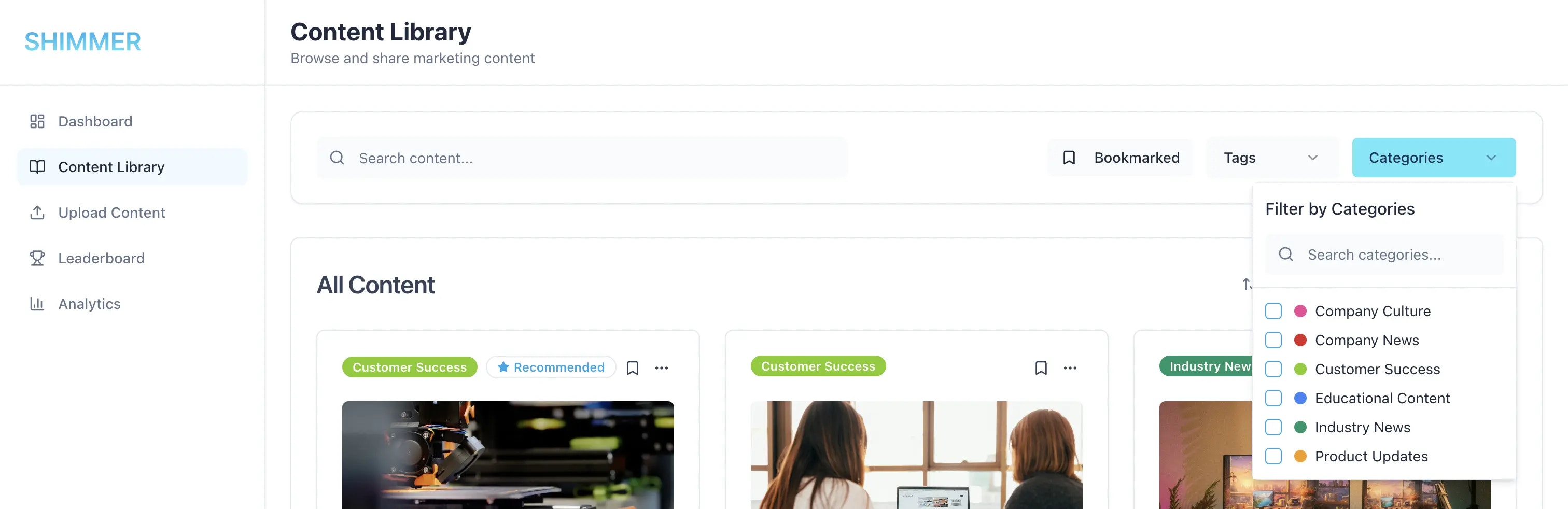 **Overview**
* Admin-controlled category system
* Color-coded for visual organization
* Required field for all content
* Filterable in content library
**Managing Categories** (Admin only)
* Navigate to Settings > Categories
* Create, edit, or delete categories
* Assign colors for visual distinction
### **Tags**
**Overview**
* Admin-controlled category system
* Color-coded for visual organization
* Required field for all content
* Filterable in content library
**Managing Categories** (Admin only)
* Navigate to Settings > Categories
* Create, edit, or delete categories
* Assign colors for visual distinction
### **Tags**
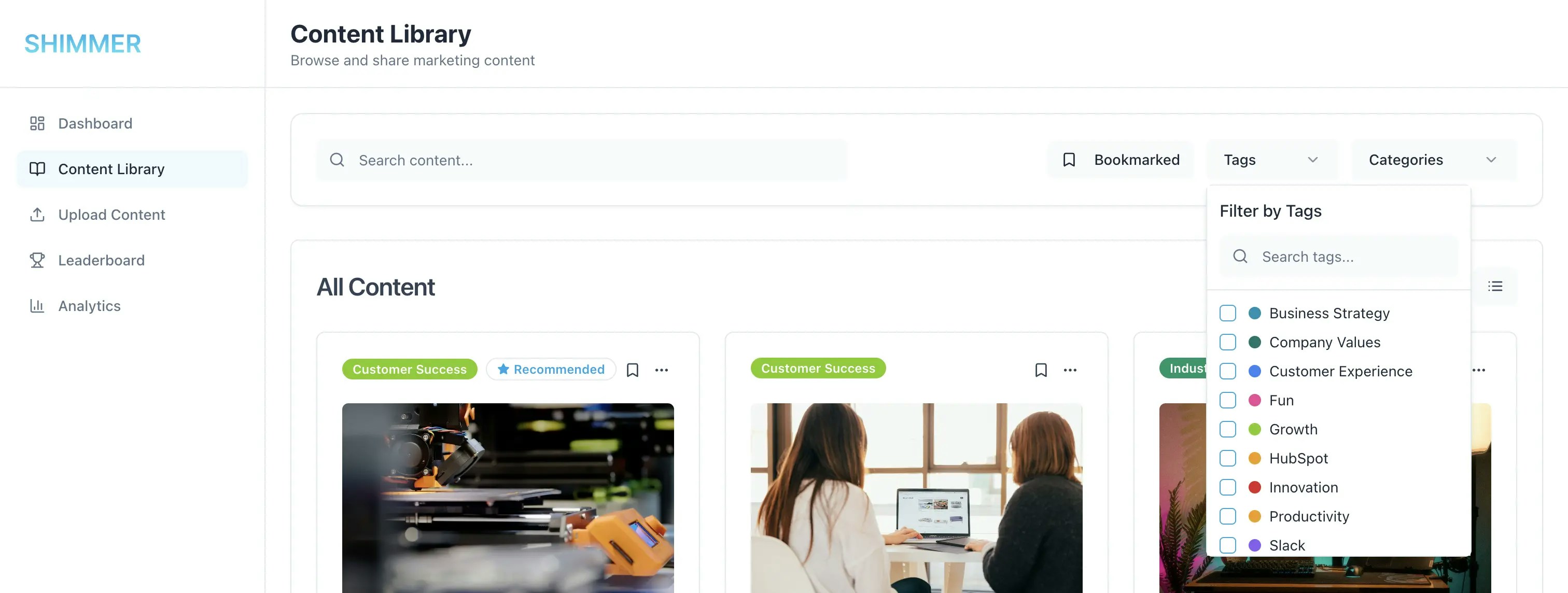 **Flexible Tagging System**
* Multiple tags per content item
* Auto-complete suggestions during tagging
* Real-time tag creation
* Admin-controlled tag library
## **Content Library Features**
**Flexible Tagging System**
* Multiple tags per content item
* Auto-complete suggestions during tagging
* Real-time tag creation
* Admin-controlled tag library
## **Content Library Features**
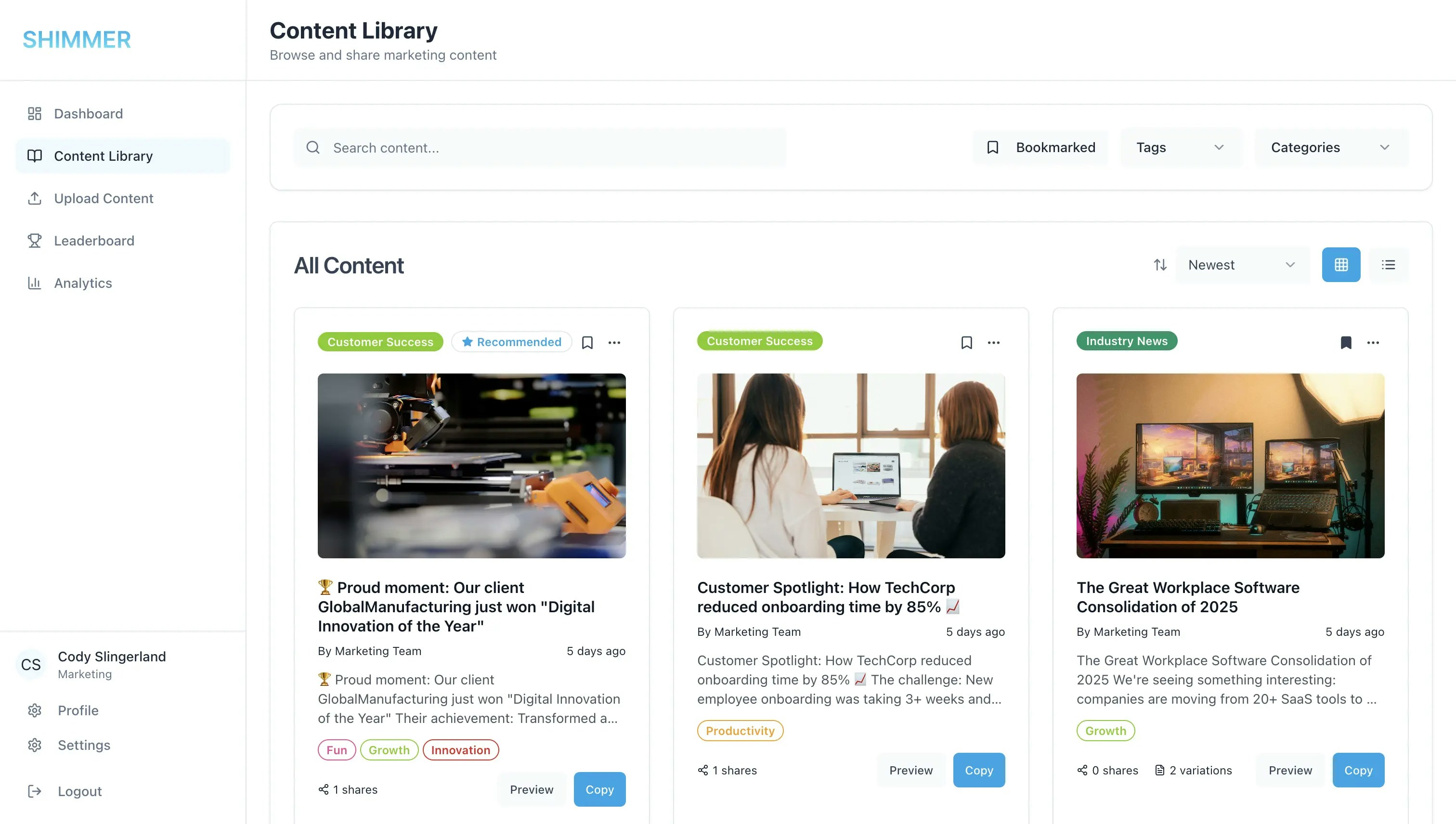 ### **Search and Discovery**
**Advanced Search**
* Search across titles, descriptions, categories, and tags
* Case-insensitive search functionality
* Real-time search results
**Filtering Options**
* Filter by categories (multiple selection)
* Filter by tags (multiple selection)
* Bookmarked content only
* Combine multiple filters for precise results
**Sorting Options**
* Newest first (default)
* Oldest first
* Name A-Z
* Name Z-A
### **View Modes**
**Grid View**
* Visual content cards with thumbnails
* Quick preview of content type
* Compact layout for browsing
**List View**
* Detailed content information
* Better for text-heavy content
## **Troubleshooting**
### **Common Issues**
**Upload Failures**
* Check file size limits (20MB for images, 50MB for videos/PDFs)
* Verify file format compatibility
* Ensure stable internet connection
**Search Issues**
* Clear browser cache and refresh
* Try different search terms or filters
* Check spelling and use broader terms
**Access Problems**
* Verify your user role and permissions
* Ensure you're properly logged in
* Contact administrator for role adjustments
### **Search and Discovery**
**Advanced Search**
* Search across titles, descriptions, categories, and tags
* Case-insensitive search functionality
* Real-time search results
**Filtering Options**
* Filter by categories (multiple selection)
* Filter by tags (multiple selection)
* Bookmarked content only
* Combine multiple filters for precise results
**Sorting Options**
* Newest first (default)
* Oldest first
* Name A-Z
* Name Z-A
### **View Modes**
**Grid View**
* Visual content cards with thumbnails
* Quick preview of content type
* Compact layout for browsing
**List View**
* Detailed content information
* Better for text-heavy content
## **Troubleshooting**
### **Common Issues**
**Upload Failures**
* Check file size limits (20MB for images, 50MB for videos/PDFs)
* Verify file format compatibility
* Ensure stable internet connection
**Search Issues**
* Clear browser cache and refresh
* Try different search terms or filters
* Check spelling and use broader terms
**Access Problems**
* Verify your user role and permissions
* Ensure you're properly logged in
* Contact administrator for role adjustments